
Enterprise System Integration Guide | Connect Business Systems
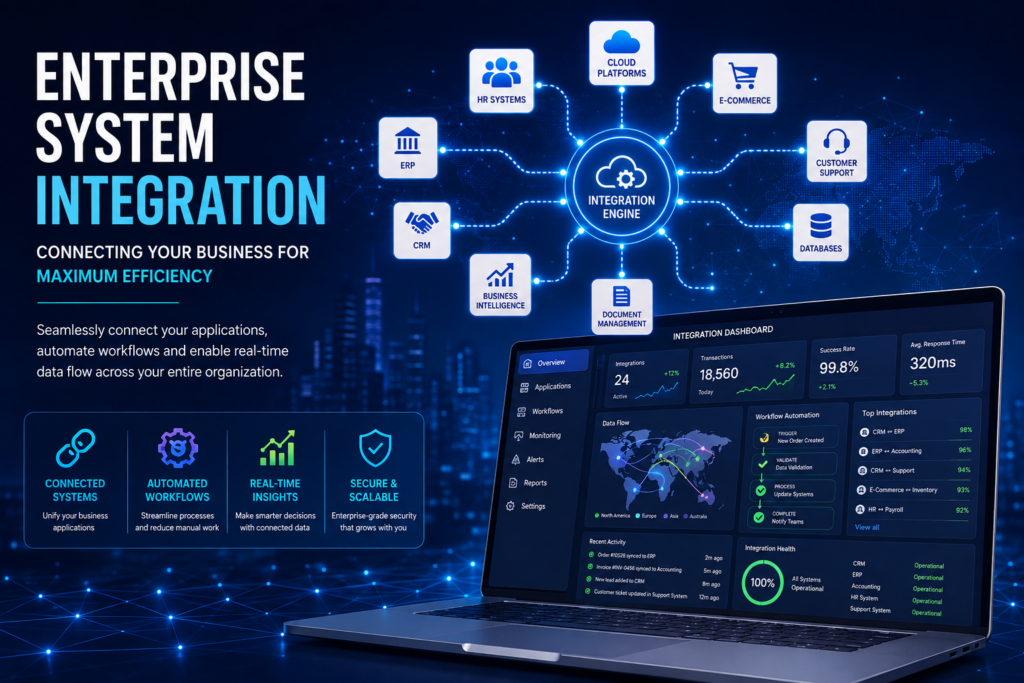
Modern businesses rely on a growing ecosystem of software applications to manage sales, finance, human resources, operations, customer support, marketing, inventory, and analytics. While these applications improve productivity individually, they often operate independently, creating disconnected systems that prevent information from flowing efficiently across the organization. As businesses grow, disconnected systems lead to duplicate data entry, inconsistent reporting, delayed decision-making, manual processes, and higher operational costs. Employees spend valuable time transferring information between applications instead of focusing on strategic work that drives business growth. Enterprise System Integration solves these challenges by connecting business applications through APIs, workflow automation, middleware, and cloud technologies. Instead of isolated software platforms, organizations create a connected digital ecosystem where information flows securely and automatically between systems. From integrating CRM platforms with ERP systems to synchronizing finance, HR, customer support, inventory, and cloud applications, Enterprise System Integration enables organizations to streamline operations, improve collaboration, eliminate data silos, and build a scalable foundation for digital transformation. In this guide, we’ll explore what Enterprise System Integration is, why it matters, how it works, its business benefits, implementation best practices, and how organizations can successfully connect their technology ecosystem. What Is Enterprise System Integration? Enterprise System Integration is the process of connecting multiple software applications, databases, cloud services, APIs, and enterprise platforms so they can securely exchange information and automate business processes. Rather than operating independently, integrated systems share data automatically, ensuring every department works with accurate, real-time information. Enterprise integration can connect: CRM Systems ERP Platforms Accounting Software HR Systems Payroll Applications Customer Support Platforms Marketing Automation Tools Inventory Management Systems E-commerce Platforms Business Intelligence Dashboards Cloud Applications AI Platforms This unified ecosystem enables organizations to automate workflows while reducing manual effort and improving operational efficiency. Why Enterprise Integration Matters Many organizations invest heavily in business software but fail to connect these systems effectively. This creates several operational challenges: Duplicate data entry Inconsistent customer information Delayed reporting Poor collaboration Manual approvals Data silos Increased operational costs Slow decision-making Limited business visibility Enterprise System Integration eliminates these barriers by creating seamless communication between applications, allowing data to move automatically and securely across the organization. Common Integration Scenarios Modern organizations commonly integrate: CRM + ERP Synchronize customer information, sales orders, invoices, and financial data. Accounting + Payment Gateways Automatically reconcile payments, invoices, and financial transactions. HR + Payroll Synchronize employee records, attendance, leave management, and payroll processing. E-commerce + Inventory Automatically update inventory levels, orders, shipping information, and customer records. Customer Support + CRM Connect support tickets with customer profiles for a complete view of every customer interaction. Marketing + Sales Platforms Automatically transfer qualified leads into CRM systems while tracking campaign performance. Document Management + Cloud Storage Centralize contracts, invoices, reports, and business documentation with secure cloud access. How Enterprise System Integration Works Enterprise integrations rely on modern technologies that allow applications to communicate securely. A typical integration workflow includes: A business event triggers an action. Data is collected from the source application. APIs or middleware securely transfer the information. Data is validated and transformed if required. Information is delivered to connected business systems. Automated workflows trigger follow-up actions. Dashboards provide real-time monitoring and reporting. This process eliminates manual intervention while ensuring business data remains accurate and synchronized. Business Benefits Organizations implementing Enterprise System Integration experience measurable improvements across their operations. Key benefits include: Eliminate duplicate data entry Improve data accuracy Accelerate business processes Increase employee productivity Strengthen collaboration Improve customer experiences Reduce operational costs Enable real-time reporting Improve decision-making Build scalable business operations Rather than maintaining disconnected software applications, organizations gain a unified digital infrastructure capable of supporting future growth. Industry Use Cases Manufacturing Manufacturers integrate ERP systems, production management, procurement, inventory, and logistics to improve operational visibility. Healthcare Healthcare organizations connect patient management systems, appointment scheduling, billing platforms, and clinical applications. Financial Services Financial institutions automate reporting, compliance monitoring, customer onboarding, and payment processing through secure integrations. Retail & E-commerce Retailers synchronize inventory, orders, payment gateways, customer information, and shipping platforms to improve customer experiences. Professional Services Consulting firms integrate CRM systems, project management software, accounting applications, document management, and reporting tools. Technology Stack Modern Enterprise Integration solutions commonly use: REST APIs GraphQL Webhooks Microsoft Power Automate n8n Make.com Zapier Python FastAPI Azure Integration Services AWS SQL Databases Salesforce HubSpot SAP Microsoft Dynamics 365 These technologies provide secure, scalable, and reliable enterprise integration capabilities. Implementation Best Practices Successful integration projects begin with careful planning. Recommended best practices include: Define business objectives. Document existing workflows. Map system dependencies. Prioritize security. Validate data quality. Implement monitoring and logging. Use scalable API architectures. Test integrations thoroughly. Continuously optimize performance. Following these practices reduces project risk while maximizing long-term business value. Why Choose AK Consultant LLC At AK Consultant LLC, we design and develop secure Enterprise System Integration solutions that connect business applications, automate workflows, and improve operational efficiency. Our expertise includes: Enterprise API Development Workflow Automation AI Agents Microsoft Power Platform CRM & ERP Integration OpenAI Integration Cloud Applications Custom Software Development AI SaaS Solutions Enterprise Architecture We build scalable integration solutions that eliminate manual work, improve data accuracy, and create connected digital ecosystems that support business growth. Frequently Asked Questions What is Enterprise System Integration? Enterprise System Integration connects business applications so they can securely exchange information and automate workflows. Can existing business systems be integrated? Yes. Most modern enterprise platforms provide APIs, webhooks, or integration connectors that enable secure communication. Is Enterprise Integration secure? Yes. Modern integrations use authentication, encryption, role-based access control, and secure APIs to protect business data. Can integrations scale as our business grows? Absolutely. Enterprise integration architectures are designed to support increasing users, applications, and transaction volumes. How long does implementation take? Implementation depends on the number of systems, integrations, and business requirements. Many organizations begin seeing benefits after their first integrations are deployed. Conclusion Enterprise System Integration is no longer optional for organizations pursuing digital transformation. By connecting business applications, eliminating data silos, and automating workflows, businesses improve operational efficiency, strengthen collaboration, and
CRM & Sales Automation: The Complete Guide to Accelerating Business Growth with AI
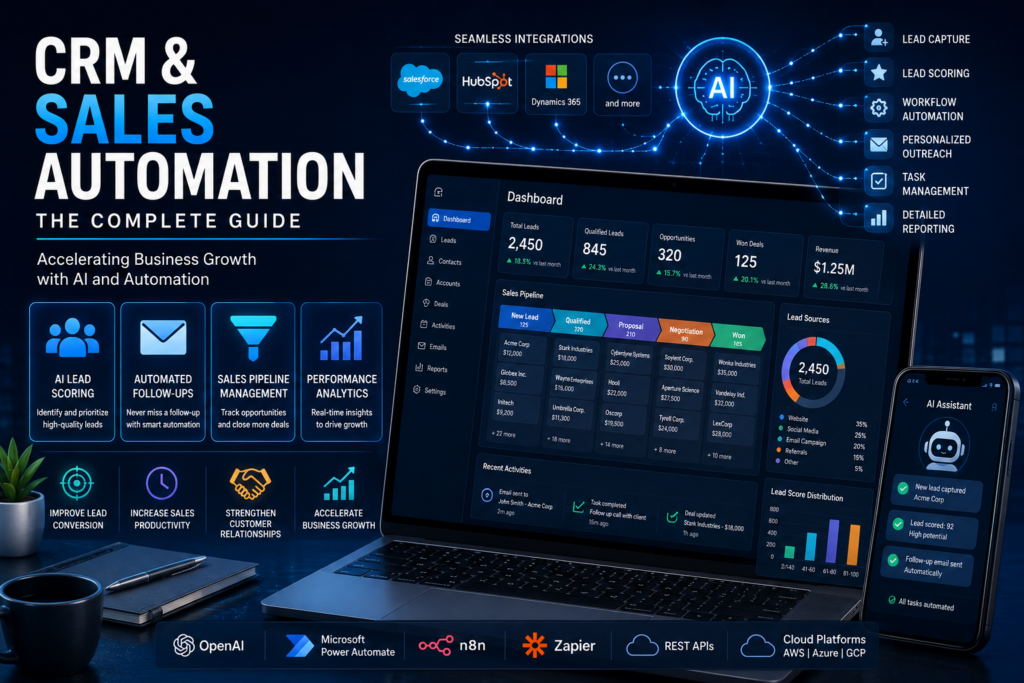
Customer relationships are the foundation of every successful business. Whether you’re generating leads, nurturing prospects, closing deals, or supporting existing customers, every interaction contributes to long-term business growth. However, as organizations grow, managing customer relationships manually becomes increasingly difficult. Sales teams often spend more time updating CRM records, sending follow-up emails, scheduling meetings, and preparing reports than actually building relationships and closing deals. This is where CRM & Sales Automation transforms modern businesses. By combining Customer Relationship Management (CRM) platforms with Artificial Intelligence (AI), workflow automation, and enterprise integrations, businesses can eliminate repetitive tasks, improve sales productivity, enhance customer engagement, and accelerate revenue growth. Instead of relying on manual processes, intelligent automation ensures that leads are captured, qualified, nurtured, and managed efficiently throughout the entire customer journey. From AI-powered lead scoring and automated follow-ups to intelligent sales forecasting and customer insights, CRM & Sales Automation empowers sales teams to focus on what matters most—building relationships and closing more deals. In this guide, we’ll explore what CRM & Sales Automation is, how it works, its business benefits, implementation best practices, industry use cases, and how organizations can successfully leverage AI to build scalable sales operations. What Is CRM & Sales Automation? CRM & Sales Automation is the integration of Customer Relationship Management software with Artificial Intelligence, workflow automation, and enterprise business systems to automate repetitive sales and customer management activities. Traditional CRM systems primarily store customer information. Modern CRM platforms go much further by automating lead management, sales activities, customer communication, reporting, forecasting, and business workflows. Instead of manually updating customer records, assigning leads, scheduling follow-ups, and sending repetitive emails, automation handles these activities automatically while keeping sales teams informed through intelligent dashboards and notifications. CRM & Sales Automation typically includes: AI Lead Scoring Lead Capture Automation Sales Pipeline Management Automated Email Campaigns Task Automation Opportunity Tracking Customer Segmentation Sales Forecasting CRM Analytics Workflow Automation These capabilities help organizations build stronger customer relationships while improving productivity across sales, marketing, and customer success teams. Why Traditional Sales Processes Fall Short Many businesses still rely on spreadsheets, manual CRM updates, and disconnected systems to manage customer relationships. This creates several challenges: Sales representatives spend hours updating CRM records. Leads are forgotten or followed up too late. Customer information becomes inconsistent. Reporting requires manual effort. Managers lack real-time visibility. Sales forecasting becomes inaccurate. Customer communication is inconsistent. Opportunities are lost due to delayed responses. As organizations scale, these inefficiencies become increasingly expensive. CRM & Sales Automation removes these bottlenecks by standardizing processes, automating repetitive work, and ensuring customer information remains accurate across every business system. How CRM & Sales Automation Works Modern CRM automation connects multiple business applications into a single intelligent workflow. A typical sales automation process looks like this: A visitor submits a form on your website. The lead is automatically created inside the CRM. AI analyzes the lead using predefined scoring criteria. The lead is assigned to the appropriate salesperson. A personalized email sequence is triggered automatically. Follow-up reminders are scheduled. Customer interactions are recorded automatically. Managers monitor progress through real-time dashboards. Reports and forecasts update automatically. This automated workflow reduces administrative work while ensuring every opportunity receives timely attention. Key Features Modern CRM & Sales Automation platforms include a wide range of intelligent capabilities that improve efficiency throughout the sales process. AI Lead Scoring Artificial Intelligence evaluates incoming leads based on behaviour, engagement, demographics, and historical data to prioritize high-value opportunities. Automated Lead Capture Leads from websites, landing pages, social media, advertisements, and marketing campaigns automatically enter the CRM without manual data entry. Email Automation Personalized email campaigns, follow-ups, reminders, and nurturing sequences are automatically triggered based on customer behaviour. Sales Pipeline Management Sales representatives gain complete visibility into every stage of the customer journey, allowing better opportunity management and forecasting. Customer Segmentation AI automatically groups customers based on interests, purchase history, industry, location, and behaviour for highly targeted communication. Workflow Automation Routine activities such as approvals, notifications, task creation, CRM updates, and document generation are completed automatically. Analytics & Reporting Interactive dashboards provide real-time insights into sales performance, conversion rates, pipeline health, customer engagement, and revenue forecasts. Business Benefits Organizations implementing CRM & Sales Automation often experience measurable improvements across their sales operations. Some of the key business benefits include: Increased sales productivity Faster lead response times Higher lead conversion rates Reduced administrative work Improved customer engagement Better forecasting accuracy Stronger customer relationships Shorter sales cycles Improved collaboration between sales and marketing Scalable revenue growth Rather than replacing sales professionals, automation empowers them by removing repetitive administrative work and allowing them to focus on building meaningful customer relationships. Industry Use Cases Professional Services Consulting firms automate client onboarding, proposal generation, follow-up communications, project updates, and customer relationship management. Healthcare Healthcare providers automate patient communication, appointment reminders, follow-up scheduling, and relationship management while improving patient engagement. Real Estate Real estate agencies automatically capture enquiries, assign leads, schedule property viewings, and nurture prospects throughout the buying journey. Financial Services Banks and financial institutions automate client onboarding, relationship management, document collection, and customer communications while improving compliance. SaaS & Technology Software companies streamline subscription management, product onboarding, customer success workflows, renewal reminders, and sales pipeline management. Technology Stack Modern CRM & Sales Automation solutions are powered by enterprise-grade technologies including: Salesforce HubSpot Microsoft Dynamics 365 Zoho CRM Pipedrive OpenAI Claude Microsoft Power Automate n8n Zapier REST APIs SQL Databases Microsoft Azure AWS Google Cloud Platform These technologies allow organizations to create scalable, intelligent, and highly integrated CRM solutions that support long-term business growth. Implementation Best Practices Successful CRM automation begins with understanding existing business processes before introducing automation. Recommended best practices include: Document your current sales workflow. Standardize customer data. Identify repetitive manual activities. Define measurable KPIs. Integrate existing business applications. Automate high-impact processes first. Train employees on new workflows. Continuously monitor performance. Optimize automation based on business insights. A phased implementation approach ensures minimal disruption while delivering measurable improvements in productivity and customer engagement. Why Choose AK Consultant LLC At
AI Customer Support: The Complete Guide to Delivering 24/7 Exceptional Customer Experiences
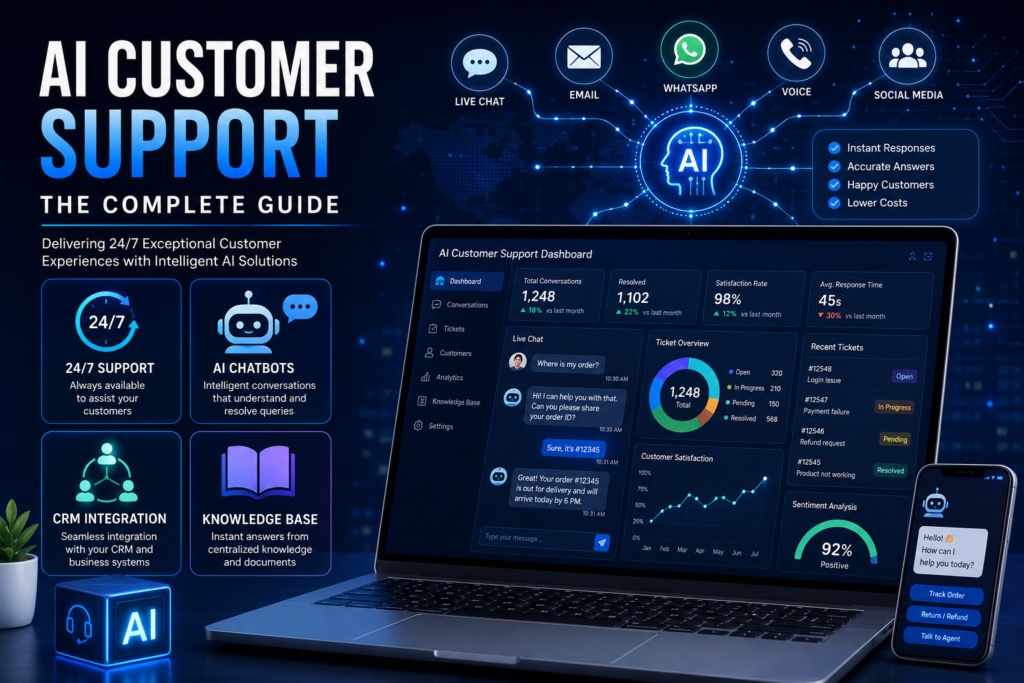
Customer expectations have changed dramatically over the past decade. Today’s customers expect businesses to respond instantly, provide accurate answers, and deliver consistent support across every communication channel—whether it’s a website, mobile app, email, live chat, or social media. Traditional customer support teams often struggle to meet these expectations due to increasing ticket volumes, repetitive enquiries, staffing limitations, and rising operational costs. As businesses grow, maintaining high-quality customer service becomes increasingly challenging. AI Customer Support enables organizations to automate customer interactions using Artificial Intelligence, Natural Language Processing (NLP), and intelligent automation while ensuring human agents remain available for complex conversations. Rather than replacing customer service teams, AI enhances their capabilities by handling repetitive tasks, improving response times, and delivering personalized customer experiences around the clock. From answering frequently asked questions and routing support tickets to integrating with CRM systems and analyzing customer sentiment, AI Customer Support is transforming how modern organizations engage with customers. In this guide, we’ll explore what AI Customer Support is, how it works, its business benefits, implementation best practices, real-world use cases, and how businesses can successfully deploy intelligent support solutions. What Is AI Customer Support? AI Customer Support is the use of Artificial Intelligence, machine learning, Natural Language Processing (NLP), and workflow automation to provide fast, intelligent, and personalized customer assistance. Unlike traditional chatbots that rely on predefined scripts, modern AI-powered support systems understand natural language, analyze customer intent, retrieve relevant information from knowledge bases, and generate meaningful responses. These intelligent systems can communicate through multiple channels including: Live Chat Email Voice Assistants WhatsApp Microsoft Teams Slack Mobile Applications Customer Portals AI Customer Support platforms integrate with existing business applications such as CRM systems, ticketing platforms, ERP software, and internal knowledge bases, enabling organizations to deliver seamless customer experiences without disrupting existing workflows. Challenges with Traditional Customer Service Many organizations continue to rely on manual customer support processes that become increasingly difficult to manage as customer demand grows. Common challenges include: Long customer wait times High support staffing costs Limited support availability Repetitive customer enquiries Inconsistent responses Knowledge sharing difficulties Slow ticket resolution Limited multilingual support Human errors Poor customer satisfaction These issues often lead to frustrated customers, increased operational expenses, and reduced business efficiency. AI Customer Support addresses these challenges by providing instant, consistent, and scalable customer assistance. How AI Customer Support Works Modern AI Customer Support solutions combine Artificial Intelligence with enterprise integrations to automate customer interactions from start to finish. A typical workflow includes: A customer submits a question through chat, email, or another communication channel. The AI identifies the customer’s intent using Natural Language Processing. Relevant information is retrieved from company knowledge bases, documentation, or business systems. The AI generates an accurate and personalized response. If required, customer information is updated within the CRM system. Complex enquiries are automatically escalated to human agents. Analytics dashboards monitor performance, customer satisfaction, and support metrics. This intelligent workflow enables businesses to deliver fast, reliable, and consistent support while reducing manual effort. Key Features Modern AI Customer Support platforms offer a wide range of intelligent capabilities, including: 24/7 customer assistance AI-powered conversational chatbots Voice AI assistants Multilingual conversations Knowledge base integration Intelligent ticket routing CRM integration Email automation Sentiment analysis Automated follow-ups Customer authentication Live agent handover Analytics and reporting dashboards Continuous AI learning These features enable businesses to provide enterprise-grade customer service while maintaining efficiency and consistency. Business Benefits Organizations implementing AI Customer Support often achieve measurable improvements across customer service operations. Key benefits include: Faster response times Reduced support costs Improved customer satisfaction Higher first-contact resolution rates Increased agent productivity 24/7 service availability Consistent customer experiences Reduced support workloads Improved scalability Better operational visibility Rather than replacing support teams, AI enables agents to focus on complex customer interactions while repetitive enquiries are handled automatically. Industry Use Cases Healthcare Healthcare providers automate appointment scheduling, patient enquiries, medical documentation requests, and administrative support while maintaining secure patient communication. Financial Services Banks and financial institutions use AI to answer account enquiries, assist with loan applications, provide transaction updates, and support compliance processes. Retail & E-commerce Retail businesses automate order tracking, returns, product recommendations, payment enquiries, and customer support across multiple sales channels. Logistics Logistics companies provide shipment tracking, delivery notifications, route updates, and customer communication using intelligent AI assistants. SaaS & Technology Software companies automate technical support, onboarding, documentation search, troubleshooting, and customer success workflows. Technology Stack Modern AI Customer Support platforms are built using enterprise-grade technologies such as: OpenAI Claude LangChain Python FastAPI Microsoft Power Platform Zendesk Salesforce HubSpot Intercom REST APIs Vector Databases Retrieval-Augmented Generation (RAG) Docker AWS Microsoft Azure These technologies enable secure, scalable, and intelligent customer support solutions. Implementation Best Practices Successful AI Customer Support implementation requires thoughtful planning and continuous optimization. Recommended best practices include: Identify frequently asked customer questions. Build a comprehensive knowledge base. Integrate existing CRM and business systems. Ensure secure handling of customer information. Train AI using accurate business documentation. Continuously monitor AI performance. Collect customer feedback. Improve responses through ongoing optimization. Organizations adopting a phased implementation approach typically achieve faster adoption and better long-term results. Why Choose AK Consultant LLC At AK Consultant LLC, we develop AI Customer Support solutions that help organizations improve customer experiences while reducing operational costs. Our expertise includes: AI Chatbots AI Agents Knowledge Base Systems CRM Integration Workflow Automation OpenAI Integration Microsoft Power Platform API Development AI SaaS Solutions Enterprise Software Development We build secure, scalable, and enterprise-ready AI solutions that integrate seamlessly with your existing business applications while delivering measurable improvements in customer satisfaction and operational efficiency. Frequently Asked Questions What is AI Customer Support? AI Customer Support uses Artificial Intelligence to automate customer interactions, answer enquiries, and assist support teams with intelligent workflows. Can AI answer complex customer questions? Yes. When connected to company knowledge bases and enterprise systems, AI can answer many complex business questions accurately. Does AI replace customer support agents? No. AI complements human agents by handling repetitive enquiries while allowing support teams to focus on more
Business Process Automation: The Complete Guide to Streamlining Business Operations
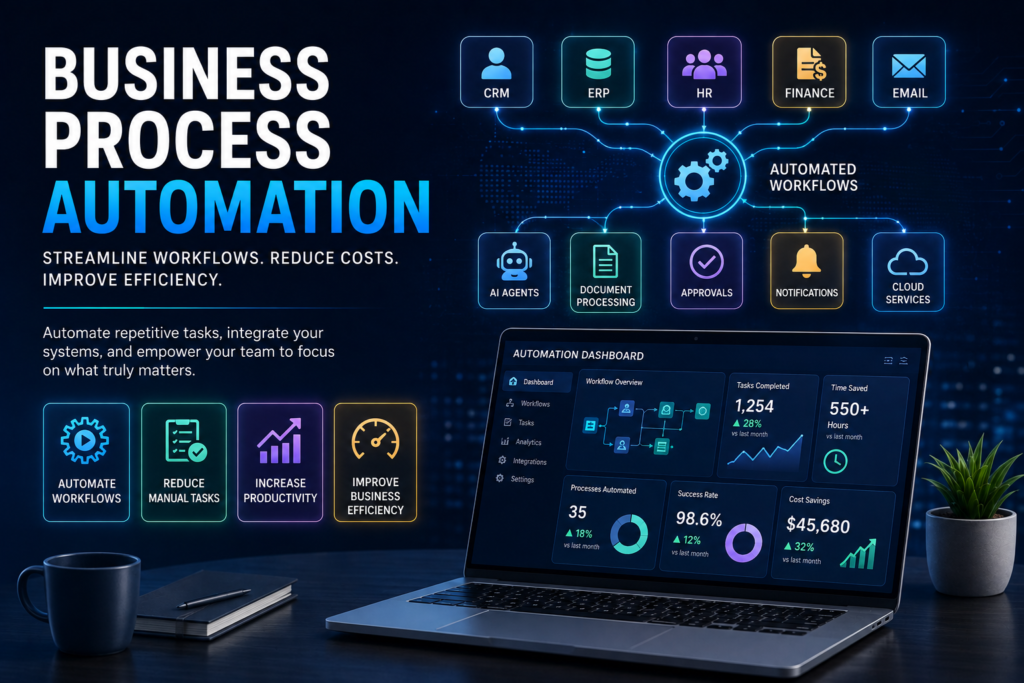
Businesses today are under constant pressure to improve efficiency, reduce operational costs, and deliver better customer experiences while managing increasing workloads. Yet many organizations still rely on manual processes, spreadsheets, repetitive data entry, and disconnected systems that slow down operations and limit productivity. Business Process Automation (BPA) helps organizations eliminate repetitive tasks by using intelligent workflows, enterprise integrations, and AI-powered automation. Instead of spending valuable time on routine administrative work, businesses can automate processes across departments, allowing employees to focus on strategic initiatives that drive growth. From automating customer support and employee onboarding to streamlining approvals, document processing, CRM updates, and financial workflows, Business Process Automation is transforming the way modern organizations operate. In this guide, we’ll explore what Business Process Automation is, how it works, its business benefits, real-world use cases, implementation best practices, and how organizations can successfully adopt automation to improve efficiency and scalability. What Is Business Process Automation? Business Process Automation (BPA) is the use of software, Artificial Intelligence, APIs, and workflow automation platforms to automate repetitive business tasks and processes. Instead of relying on manual emails, spreadsheets, approvals, or repetitive data entry, automated workflows move information between systems, trigger actions automatically, and ensure tasks are completed consistently with minimal human intervention. Unlike traditional automation that focuses on isolated tasks, Business Process Automation connects multiple systems across an organization to create end-to-end digital workflows that improve speed, accuracy, and visibility. Whether it’s routing invoices for approval, updating CRM records, generating reports, or notifying teams of important events, BPA enables businesses to operate faster and more efficiently. Why Businesses Need Automation Many organizations still spend hundreds of hours every month performing repetitive administrative tasks that add little business value. Common challenges include: Manual data entry across multiple systems Slow approval processes Human errors and duplicate work Delayed customer responses Poor visibility into operations Disconnected software applications High operational costs Difficulty scaling business processes As businesses grow, these manual processes become increasingly difficult to manage. Automation eliminates these bottlenecks by creating standardized workflows that operate consistently, accurately, and around the clock. Organizations adopting Business Process Automation can respond faster, improve service quality, and scale operations without proportionally increasing staffing costs. Processes That Can Be Automated Almost every department within an organization can benefit from Business Process Automation. Common automated processes include: Sales & CRM Lead assignment Follow-up emails Opportunity tracking Customer onboarding Proposal generation CRM updates Human Resources Employee onboarding Leave approvals Document management Recruitment workflows Performance reviews Payroll notifications Finance Invoice processing Expense approvals Payment reminders Budget reporting Financial reconciliation Customer Support Ticket routing AI-powered responses Escalation management Customer notifications Feedback collection Operations Purchase approvals Inventory management Project tracking Task assignments Workflow monitoring Marketing Email campaigns Lead nurturing Social media scheduling Campaign reporting Customer segmentation How Business Process Automation Works Business Process Automation follows a structured workflow designed to reduce manual effort while ensuring consistency across business operations. A typical automation process includes: A business event triggers a workflow. Information is collected from connected systems. Business rules determine the next action. AI analyzes data when intelligent decision-making is required. Tasks are automatically assigned or completed. Notifications are sent to relevant stakeholders. Dashboards provide real-time monitoring and reporting. Modern automation platforms integrate with CRM systems, ERP software, cloud applications, databases, email services, and collaboration tools, enabling organizations to automate complex processes across multiple departments. Business Benefits Organizations investing in Business Process Automation achieve measurable improvements across their operations. Key benefits include: Reduced operational costs Faster business processes Improved employee productivity Greater process consistency Fewer manual errors Better compliance and audit trails Enhanced customer experiences Real-time business visibility Improved collaboration across departments Scalable business operations Rather than replacing employees, automation removes repetitive work and enables teams to focus on innovation, customer relationships, and strategic decision-making. Industry Use Cases Healthcare Healthcare providers automate appointment scheduling, patient registration, document processing, insurance verification, and administrative workflows, allowing medical professionals to spend more time on patient care. Financial Services Banks and financial institutions automate loan approvals, compliance reporting, fraud monitoring, customer onboarding, and payment processing while maintaining regulatory standards. Manufacturing Manufacturers streamline production workflows, inventory management, procurement, quality assurance, and supply chain operations through automated business processes. Retail & E-commerce Retail businesses automate order processing, inventory updates, shipping notifications, customer service, and marketing campaigns to improve operational efficiency and customer satisfaction. Professional Services Consulting firms, legal practices, and accounting firms automate document approvals, project management, client communications, reporting, and knowledge management. Technology Stack Modern Business Process Automation solutions combine workflow automation platforms, AI technologies, cloud infrastructure, and enterprise integrations. Common technologies include: n8n Make.com Microsoft Power Automate Zapier OpenAI Microsoft Power Platform REST APIs Laravel React SQL Databases AWS Microsoft Azure Docker Enterprise ERP Systems CRM Platforms These technologies enable organizations to build scalable automation solutions tailored to their business requirements. Implementation Best Practices Successful automation projects begin with careful planning rather than automating every process at once. Best practices include: Identify repetitive and high-impact processes. Map existing workflows before automation. Define measurable business objectives. Integrate systems securely through APIs. Start with quick-win automation projects. Train employees on new workflows. Continuously monitor performance. Optimize workflows based on business insights. A phased implementation approach reduces risk while delivering measurable business value throughout the automation journey. Why Choose AK Consultant LLC At AK Consultant LLC, we help organizations transform manual business operations into intelligent automated workflows. Our expertise includes: AI-powered workflow automation Enterprise process automation AI Agents Microsoft Power Platform n8n & Make.com automation CRM & ERP integrations API development Enterprise software solutions AI SaaS development Business intelligence dashboards We design secure, scalable automation solutions that integrate seamlessly with existing business systems while delivering measurable improvements in productivity, operational efficiency, and business performance. Frequently Asked Questions What is Business Process Automation? Business Process Automation uses software, AI, and workflow technologies to automate repetitive business processes and reduce manual work. Does Business Process Automation replace employees? No. BPA automates repetitive tasks, allowing employees to focus on higher-value activities that require creativity, collaboration, and decision-making. Can
Enterprise AI Agents: The Complete Guide to Automating Business Operations in 2026
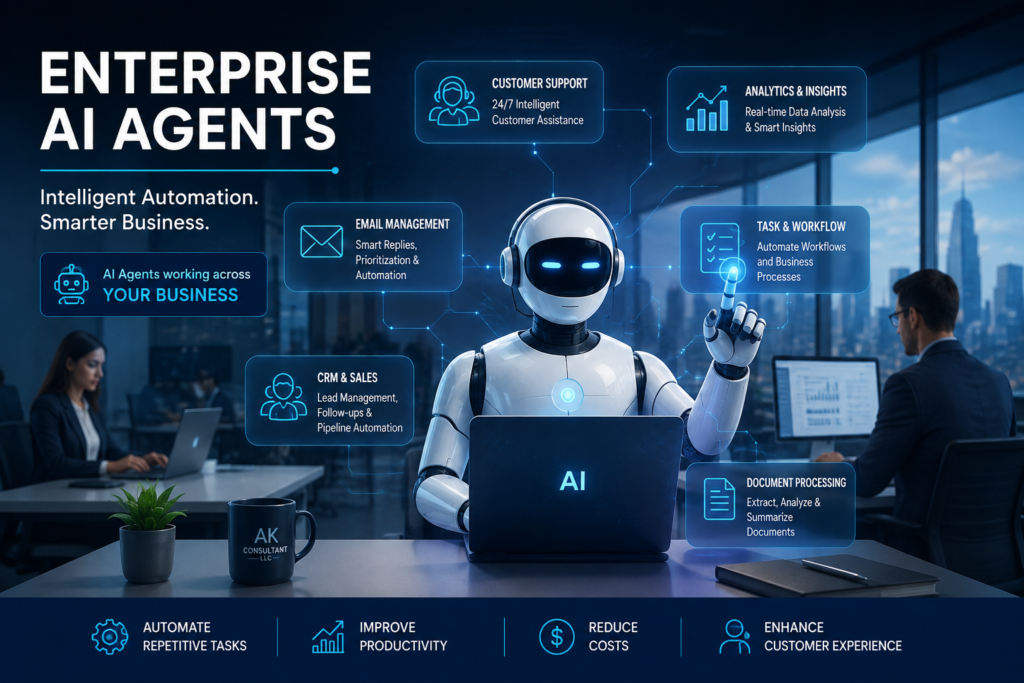
Artificial Intelligence has evolved far beyond simple chatbots. Today, Enterprise AI Agents are helping organizations automate complex business operations, improve decision-making, enhance customer experiences, and reduce operational costs across every department. Unlike traditional automation tools that follow predefined rules, AI Agents can understand context, analyze business data, interact with multiple systems, and complete tasks with minimal human intervention. They function as intelligent digital employees capable of supporting customer service, sales, finance, human resources, IT operations, and executive decision-making. From answering customer enquiries and qualifying sales leads to processing documents and orchestrating enterprise workflows, AI Agents are reshaping how modern businesses operate. Organizations that adopt AI-powered automation today are positioning themselves to improve productivity, scale efficiently, and gain a competitive advantage in an increasingly digital economy. In this guide, we’ll explore what Enterprise AI Agents are, how they work, the challenges they solve, real-world business applications, implementation best practices, and how organizations can successfully integrate AI Agents into their existing operations. Replace “Business Benefits” Why Businesses Are Investing in Enterprise AI Agents Organizations across industries are rapidly adopting Enterprise AI Agents because they deliver measurable operational and financial benefits. Rather than replacing employees, AI Agents automate repetitive tasks, allowing teams to focus on higher-value work that requires creativity, strategic thinking, and human judgement. Some of the key benefits include: Automating repetitive business processes Improving customer response times Increasing employee productivity Reducing operational costs Delivering consistent business decisions Operating 24/7 without interruption Integrating seamlessly with enterprise software Supporting scalable business growth When implemented correctly, Enterprise AI Agents become intelligent digital assistants that continuously improve operational efficiency while enhancing the customer experience. Expand Real-World Use Cases Instead of only listing industries, explain them briefly: Healthcare AI Agents automate appointment scheduling, patient enquiries, medical documentation, and administrative workflows while supporting healthcare professionals with faster access to information. Financial Services Banks and financial institutions use AI Agents for compliance monitoring, fraud detection, customer support, loan processing, and intelligent document analysis. Manufacturing Manufacturers automate production monitoring, predictive maintenance, inventory management, quality assurance, and supply chain coordination. Professional Services Consulting firms, legal practices, and advisory organizations leverage AI Agents to review documents, generate reports, manage client communications, and improve knowledge sharing. Retail & E-commerce Retailers use AI Agents to provide personalized customer support, automate order management, recommend products, and monitor inventory across multiple sales channels. Stronger Conclusion Enterprise AI Agents are no longer an emerging technology—they are becoming a core component of modern digital businesses. Organizations that embrace AI-driven automation today can reduce costs, improve customer experiences, empower employees, and make faster, more informed business decisions. The most successful AI implementations are not about replacing people. They are about enabling employees with intelligent tools that automate repetitive work while allowing teams to focus on innovation, strategy, and delivering greater value to customers. Whether you’re looking to automate customer support, streamline business processes, integrate enterprise systems, or develop custom AI solutions, Enterprise AI Agents provide a scalable foundation for long-term business growth. Ready to Build Enterprise AI Agents for Your Business? At AK Consultant LLC, we design and develop secure, scalable Enterprise AI Agents tailored to your organization’s unique processes and goals. From AI-powered customer support and workflow automation to enterprise integrations and custom AI software, we help businesses unlock the full potential of Artificial Intelligence. Book your free AI Discovery Call today and discover how Enterprise AI Agents can transform your operations, reduce costs, and accelerate growth.
What Is AI Decision Intelligence? A Complete Business Guide
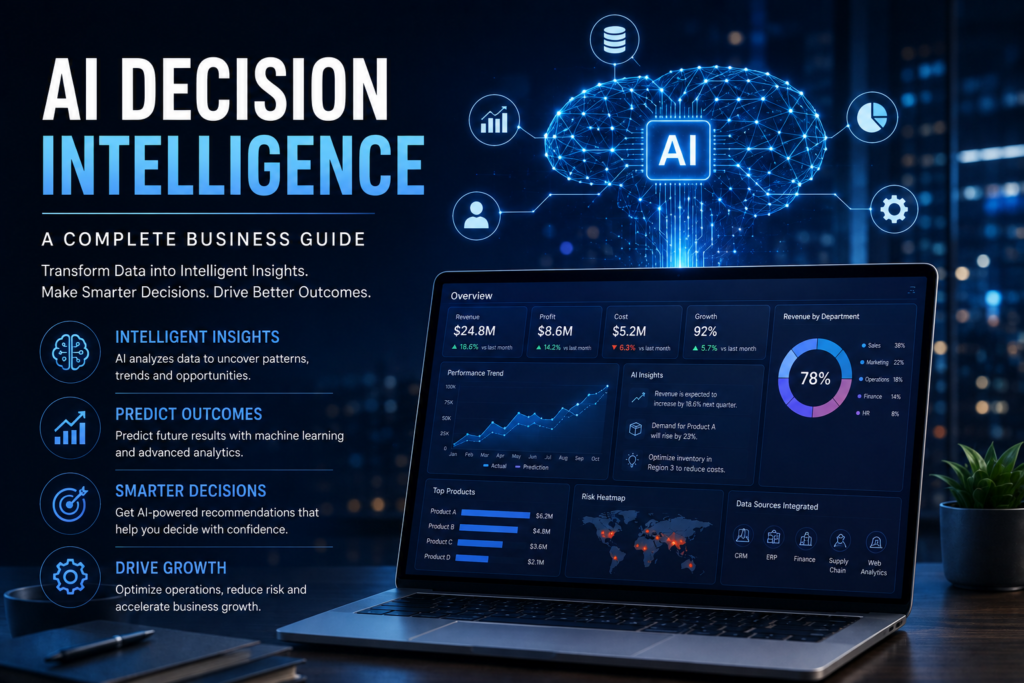
Modern organisations generate more business data than ever before. Customer interactions, financial reports, operational metrics, emails, ERP systems, CRM platforms and cloud applications all contribute to an ever-growing volume of information. While data is abundant, extracting meaningful insights quickly remains one of the greatest business challenges. AI Decision Intelligence combines artificial intelligence, analytics and automation to transform raw information into recommendations that help leaders make faster, smarter decisions. What Is AI Decision Intelligence? AI Decision Intelligence is a business approach that combines artificial intelligence, machine learning, business rules and analytics to support better decisions. Instead of simply reporting historical information, it analyses data, identifies patterns, predicts likely outcomes and recommends actions. This enables organisations to become proactive rather than reactive. Why Traditional Decision-Making Falls Short Many organisations still rely on spreadsheets, disconnected systems and manual reporting. This often results in delayed decisions, inconsistent reporting and limited visibility across departments. AI Decision Intelligence consolidates information and provides timely insights that improve accuracy and speed. How AI Decision Intelligence Works Information is collected from business systems, cleaned, analysed by AI models and presented through dashboards with recommendations. Continuous learning improves the quality of predictions over time while workflow automation ensures recommended actions can be executed efficiently. Core Components Typical solutions include: Data integration Predictive analytics Business rules AI models Natural language processing Dashboards Workflow automation Alerts and reporting Business Benefits Faster decisions Improved forecasting Reduced operational risk Better customer experiences Increased productivity Lower reporting costs Stronger strategic planning Real-World Applications Healthcare — patient demand forecasting Finance — fraud detection and compliance Manufacturing — predictive maintenance Retail — demand forecasting Logistics — supply chain optimisation Technologies Behind AI Decision Intelligence Solutions commonly use: OpenAI, Claude Python, FastAPI Power BI, PostgreSQL Vector databases LangChain Retrieval-Augmented Generation (RAG) Microsoft Power Platform Secure cloud infrastructure Implementation Best Practices Start with clear business goals Integrate quality data sources Prioritise security Train employees Monitor KPIs Continuously refine AI models Why Choose AK Consultant LLC AK Consultant LLC develops enterprise AI solutions tailored to business objectives. Our expertise includes AI Decision Intelligence, workflow automation, enterprise integrations, custom software and Microsoft Power Platform. Frequently Asked Questions Does AI replace people? No, it augments human decision-making. Can it integrate with existing systems? Yes, through APIs and enterprise integrations. Is it suitable for SMEs? Yes, solutions can be scaled for organisations of all sizes. Conclusion AI Decision Intelligence helps organisations transform data into actionable insights. Businesses that embrace AI-driven decision support can improve efficiency, reduce risk and create sustainable competitive advantages. Call to Action Ready to make smarter business decisions? Contact AK Consultant LLC to discuss how AI Decision Intelligence can help your organisation. Book a Discovery Call today.