
Organizations today face increasing pressure to improve operational efficiency, reduce development costs, and respond quickly to changing business requirements. Traditional software development often requires significant time, specialized development teams, and substantial financial investment. As businesses accelerate their digital transformation initiatives, they need faster and more flexible ways to build applications, automate workflows, analyze data, and integrate enterprise systems.
This is where Microsoft Power Platform has become one of the most powerful business technology solutions available.
Microsoft Power Platform enables organizations to create custom business applications, automate repetitive processes, build interactive dashboards, develop secure business portals, and leverage Artificial Intelligence—all through a modern low-code development environment. By empowering both business users and professional developers, organizations can innovate faster while maintaining enterprise-grade security and governance.
Whether you’re automating approvals, developing internal applications, visualizing business data, or integrating systems across Microsoft 365 and third-party platforms, Microsoft Power Platform provides a scalable ecosystem that accelerates digital transformation.
In this guide, we’ll explore what Microsoft Power Platform is, its core components, how it works, business benefits, industry use cases, implementation best practices, and why it has become an essential platform for modern enterprises.
What Is Microsoft Power Platform?
Microsoft Power Platform is Microsoft’s low-code application development platform that enables organizations to build business applications, automate workflows, analyze data, create secure websites, and integrate Artificial Intelligence into everyday business operations.
Rather than requiring months of custom software development, Power Platform allows organizations to rapidly develop solutions using visual design tools, pre-built connectors, and enterprise integrations.
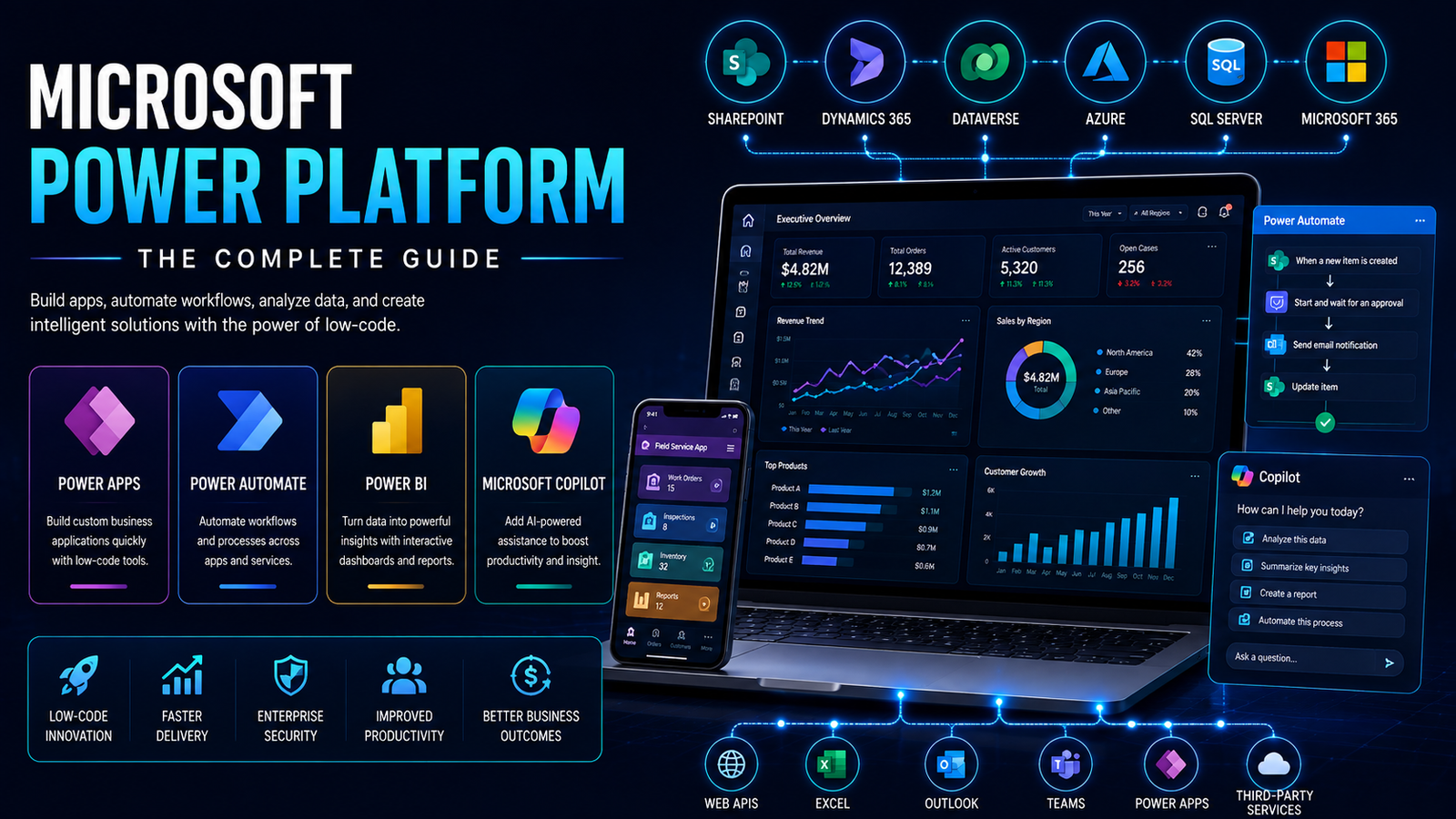
The platform integrates seamlessly with Microsoft 365, Dynamics 365, Azure, SharePoint, SQL Server, and hundreds of third-party business applications.
Microsoft Power Platform consists of five primary components:
- Power Apps
- Power Automate
- Power BI
- Power Pages
- Microsoft Copilot & AI Builder
Together, these services help businesses modernize operations while reducing development complexity and improving organizational agility.
Core Components of Microsoft Power Platform
Power Apps
Power Apps enables organizations to create custom business applications without extensive coding.
Businesses can rapidly build applications for:
- Employee onboarding
- Inspection checklists
- Asset management
- Inventory tracking
- Customer management
- Leave requests
- Field service operations
- Internal approval systems
Applications work across desktop, tablet, and mobile devices while integrating directly with enterprise data sources.
Power Automate
Power Automate enables businesses to automate repetitive tasks and business processes.
Typical workflows include:
- Approval processes
- Email notifications
- Invoice processing
- Employee onboarding
- CRM updates
- Document approvals
- File synchronization
- Data collection
Automation reduces manual work while improving consistency and productivity.
Power BI
Power BI transforms business data into interactive dashboards and visual reports.
Organizations can monitor:
- Sales performance
- Financial KPIs
- Customer insights
- Operational metrics
- Manufacturing performance
- Employee productivity
- Marketing analytics
- Executive reporting
Real-time dashboards help decision-makers respond quickly to changing business conditions.
Power Pages
Power Pages enables organizations to create secure external websites and customer portals using low-code tools.
Common examples include:
- Customer self-service portals
- Vendor portals
- Partner websites
- Registration systems
- Service request portals
- Knowledge centers
These portals integrate securely with enterprise systems while maintaining role-based access control.
Microsoft Copilot & AI Builder
Microsoft Copilot introduces Artificial Intelligence directly into the Power Platform ecosystem.
Organizations can use AI to:
- Generate applications
- Create workflows
- Analyze business data
- Process documents
- Automate customer support
- Predict business outcomes
- Generate reports
- Assist employees through conversational AI
AI Builder extends these capabilities with document intelligence, prediction models, object detection, and form processing.
How Microsoft Power Platform Works
Power Platform connects business users, enterprise data, and intelligent automation into one unified ecosystem.
A typical implementation follows these steps:
- Connect enterprise data sources.
- Build applications using Power Apps.
- Automate workflows through Power Automate.
- Visualize data using Power BI dashboards.
- Create secure portals using Power Pages.
- Integrate AI capabilities with Copilot and AI Builder.
- Connect Microsoft services and third-party applications using APIs and connectors.
This unified architecture enables organizations to rapidly deliver enterprise-grade business solutions without lengthy development cycles.
Business Benefits
Organizations implementing Microsoft Power Platform often achieve measurable improvements across multiple departments.
Key business benefits include:
- Reduced software development costs
- Faster application delivery
- Increased employee productivity
- Automated business processes
- Improved operational visibility
- Better decision-making
- Stronger collaboration
- Reduced manual errors
- Secure enterprise integrations
- Accelerated digital transformation
Instead of waiting months for traditional development projects, organizations can deliver business applications in weeks while continuously improving them over time.
Industry Use Cases
Healthcare
Healthcare organizations automate patient onboarding, appointment scheduling, document approvals, compliance workflows, and reporting.
Manufacturing
Manufacturers develop production dashboards, maintenance applications, quality control workflows, and inventory management solutions.
Financial Services
Banks and financial institutions automate approvals, compliance reporting, customer onboarding, document processing, and internal workflows.
Retail & E-commerce
Retail businesses manage inventory, automate customer communications, track sales performance, and improve operational efficiency.
Education
Educational institutions streamline admissions, student services, employee onboarding, document approvals, and reporting.
Professional Services
Consulting firms automate project management, client onboarding, proposal approvals, reporting, and document workflows.
Technology Stack
Microsoft Power Platform integrates with modern enterprise technologies including:
- Power Apps
- Power Automate
- Power BI
- Power Pages
- Dataverse
- Microsoft Copilot
- AI Builder
- Microsoft 365
- Dynamics 365
- SharePoint
- Azure
- SQL Server
- REST APIs
- Azure Active Directory
- Enterprise Authentication Services
These technologies create a scalable and secure platform capable of supporting enterprise digital transformation.
Implementation Best Practices
Successful Microsoft Power Platform projects begin with careful planning and governance.
Recommended best practices include:
- Identify high-impact business processes.
- Establish governance policies.
- Standardize data management.
- Secure user permissions.
- Train business users.
- Integrate existing systems.
- Monitor platform performance.
- Continuously optimize workflows.
- Expand automation incrementally.
Following these practices maximizes user adoption while ensuring long-term platform success.
Why Choose AK Consultant LLC
At AK Consultant LLC, we help organizations implement Microsoft Power Platform solutions that automate business operations, improve productivity, and accelerate digital transformation.
Our expertise includes:
- Power Apps Development
- Power Automate Workflows
- Power BI Dashboards
- Power Pages Development
- Microsoft Copilot Integration
- AI Builder Solutions
- SharePoint Integration
- Dynamics 365 Integration
- Enterprise API Development
- Workflow Automation
We build secure, scalable, and enterprise-ready Power Platform solutions tailored to each organization’s unique business requirements.
Frequently Asked Questions
What is Microsoft Power Platform?
Microsoft Power Platform is a low-code business platform that enables organizations to build applications, automate workflows, analyze business data, and create intelligent digital solutions.
Is Power Platform suitable for small businesses?
Yes. Power Platform scales from small businesses to large enterprises and supports organizations across every industry.
Can Power Platform integrate with existing business systems?
Yes. It integrates with Microsoft 365, Dynamics 365, SharePoint, SQL Server, Azure, and hundreds of third-party applications using connectors and APIs.
Does Microsoft Power Platform require coding?
Many solutions can be developed using low-code tools, while developers can extend applications using custom code when required.
Is Microsoft Power Platform secure?
Yes. Enterprise-grade security includes role-based access control, authentication, governance policies, compliance tools, and secure cloud infrastructure.
Conclusion
Microsoft Power Platform has transformed how organizations build business applications, automate operations, and deliver digital innovation. By combining low-code development, intelligent automation, business analytics, and Artificial Intelligence, businesses can rapidly modernize operations while reducing development costs and improving organizational productivity.
Organizations that invest in Microsoft Power Platform today create a flexible technology foundation capable of supporting future automation initiatives, enterprise integrations, and AI-powered business solutions.
Ready to Transform Your Business with Microsoft Power Platform?
At AK Consultant LLC, we help organizations design, implement, and optimize Microsoft Power Platform solutions that improve productivity, automate workflows, integrate enterprise systems, and accelerate digital transformation.
Whether you’re looking to build custom applications, automate business processes, create executive dashboards, or integrate AI into your operations, our team is ready to help.
Book your free Discovery Call today and discover how Microsoft Power Platform can transform your business.